
Exporting specific pre-orders
To export a single pre-order:
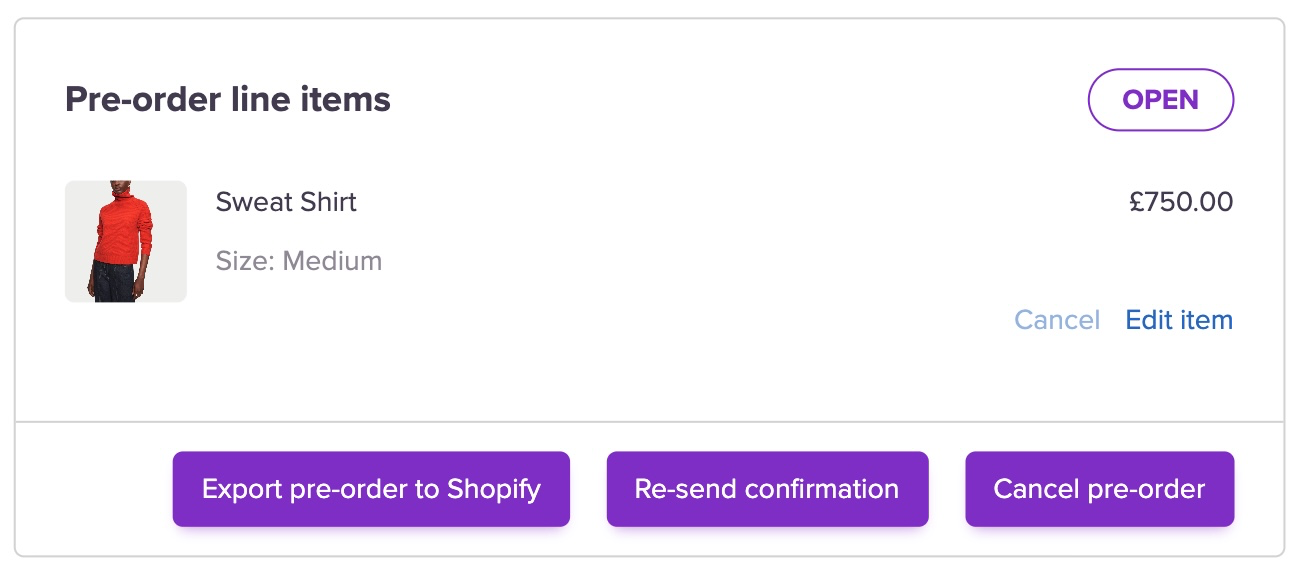
When you’re ready to export and fulfill your pre-orders you can do this by opening the pre-order and clicking Export order to Shopify. This will push the individual pre-order into Shopify and into the warehouse as per your usual Shopify-Warehouse flow.
To export multiple single pre-orders:
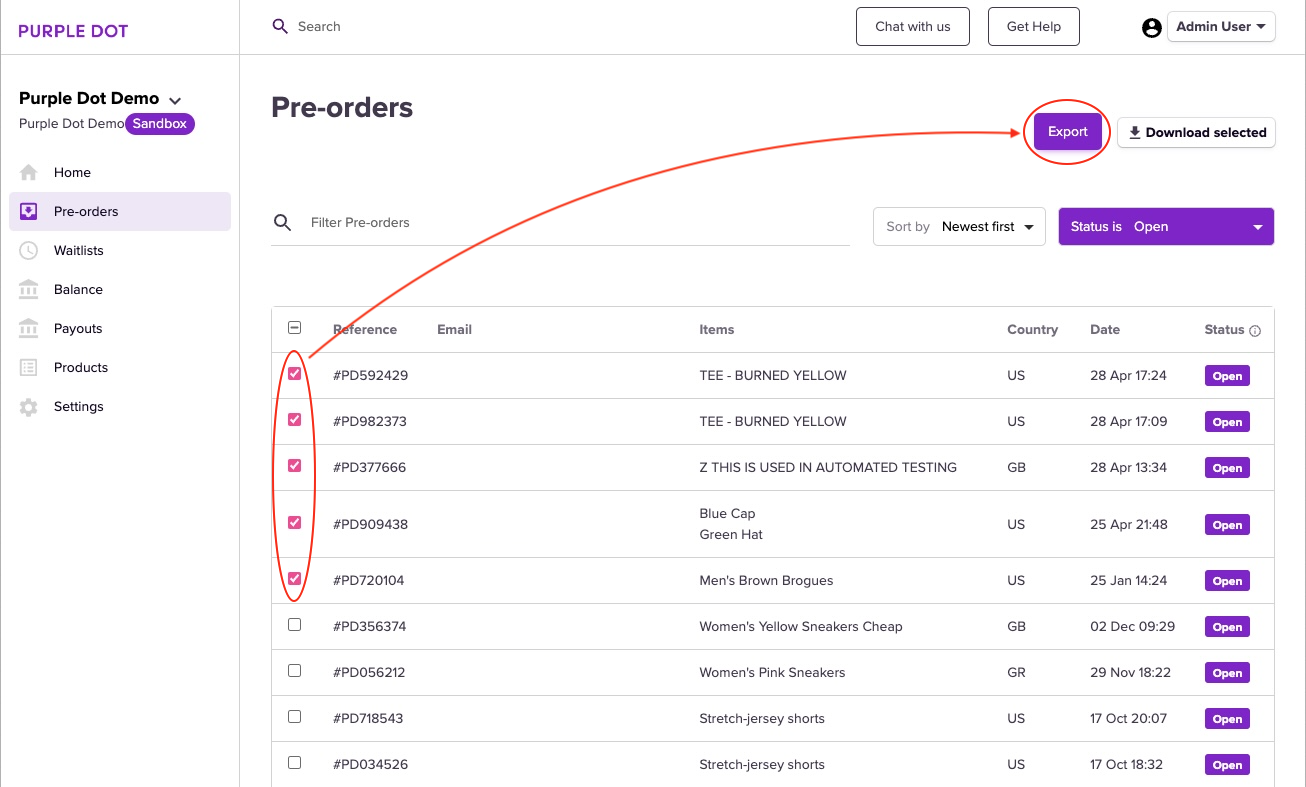
You can tick multiple individual pre-orders on the Pre-orders page and hit Export to Shopify in the top right-hand corner. This will only export the selected pre-orders.
You can filter these pre-orders by:
First Name
Last Name
PD Reference
Email
Shipping Country
SKU
Product Name
To filter by Shipping Country, simply enter Country:Country Code
For eg. To search for orders shipping to France, enter country:FR (Make sure there is no space after the colon and that the country code is in capital letters)