
Configuring how multi item orders ship
If you are selling pre-orders via the Purple Dot checkout, and using the version of Purple Dot checkout that supports selling regular in-stock items alongside pre-order line items (aka "mixed" or "combined" carts), then you can offers shoppers several options for how to combined those multiple line items in their cart into one/many shipments.
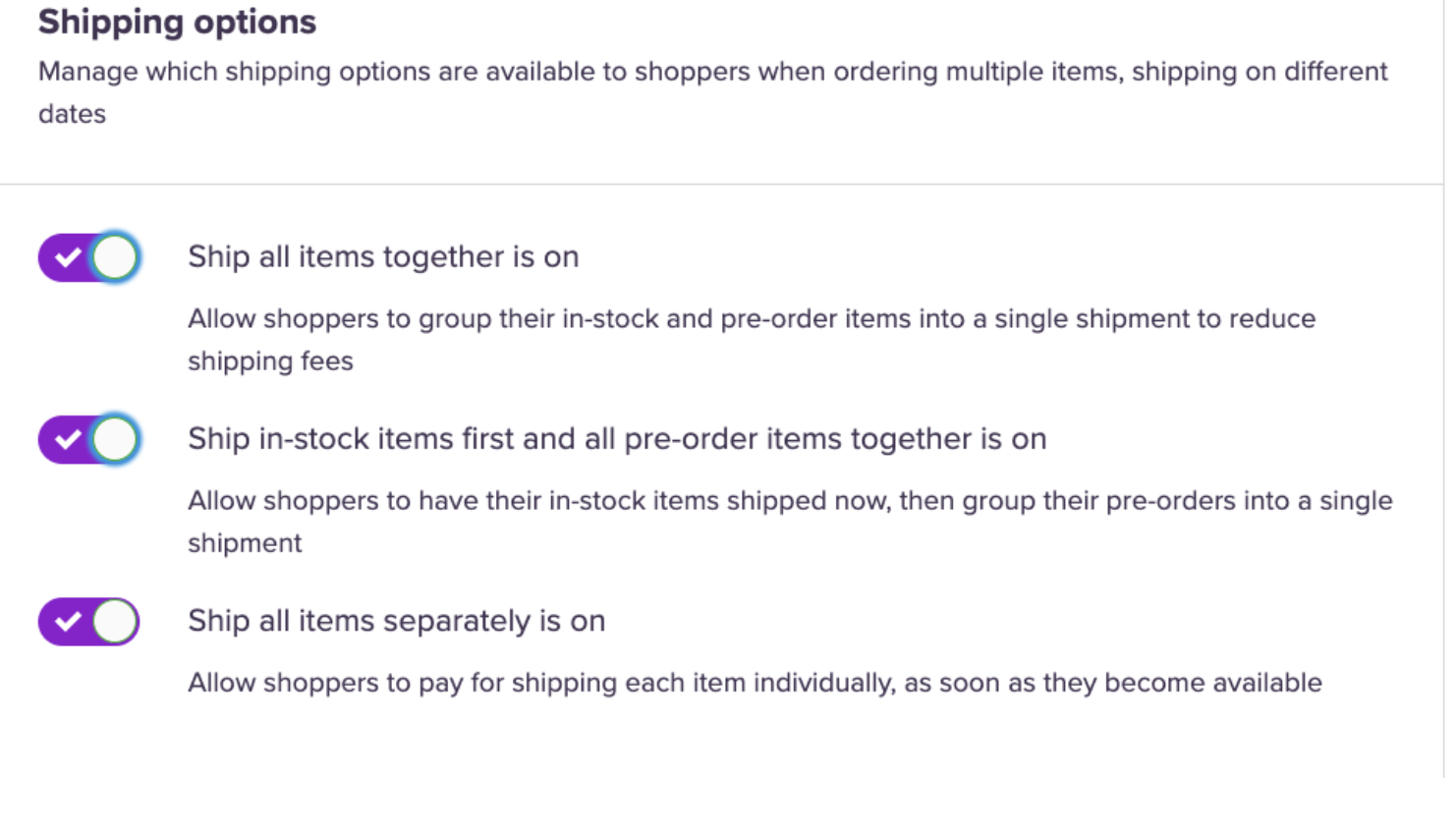
As more shipping options are toggled, this gives more options to customers to choose. Here are the options:
Ship all items together: All items (in-stock & pre-order line items) will ship once all are available.
Ship in-stock items first, and all pre-order items together: In-stock items will ship right away, with pre-order line items held back until all are available.
Ship all items separately: Each item (in-stock & pre-order), is shipped separately as it becomes available.
Where to find this setting
Head to the Settings tab on the left-hand side dashboard and click Integration. Under Shipping Settings, you can click the best option(s) for you and choose how you want to ship. Hit Save.
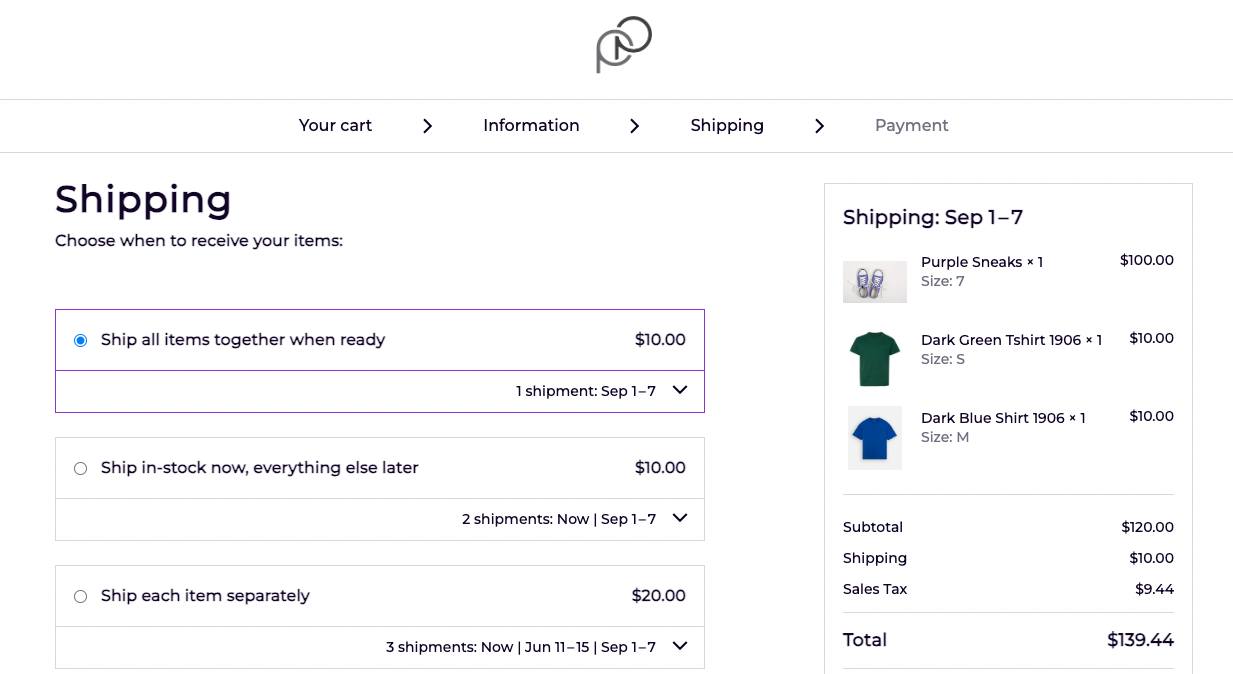
With the above configuration, here's an example of what the front end of your checkout would look like if a customer added an in-stock item and two pre-order items with differing ship dates.
Note: Shipping in-stock and pre-order items together
If they are shipped together, the in-stock items are held in PD as a part of the pre-order.
The stock is held like this:
When the pre-order is placed, nothing happens, we just keep track of it in our system.
We subscribe to stock updates from Shopify, and when we see the stock left in Shopify is equal or less than what we have orders for, we set the Shopify stock to 0 to prevent any oversell.
E.g. if we have 3 units of some in-stock product held in PD as a part of those orders that ship together, and we see the Shopify stock hit 3, we set it to 0.