How to enable Smart Cart
Purple Dot supports Rebuy's Smart Cart—Cart Flyout, which enables shoppers to add additional items to their cart.
To configure this set-up, you would:
Download the Rebuy app
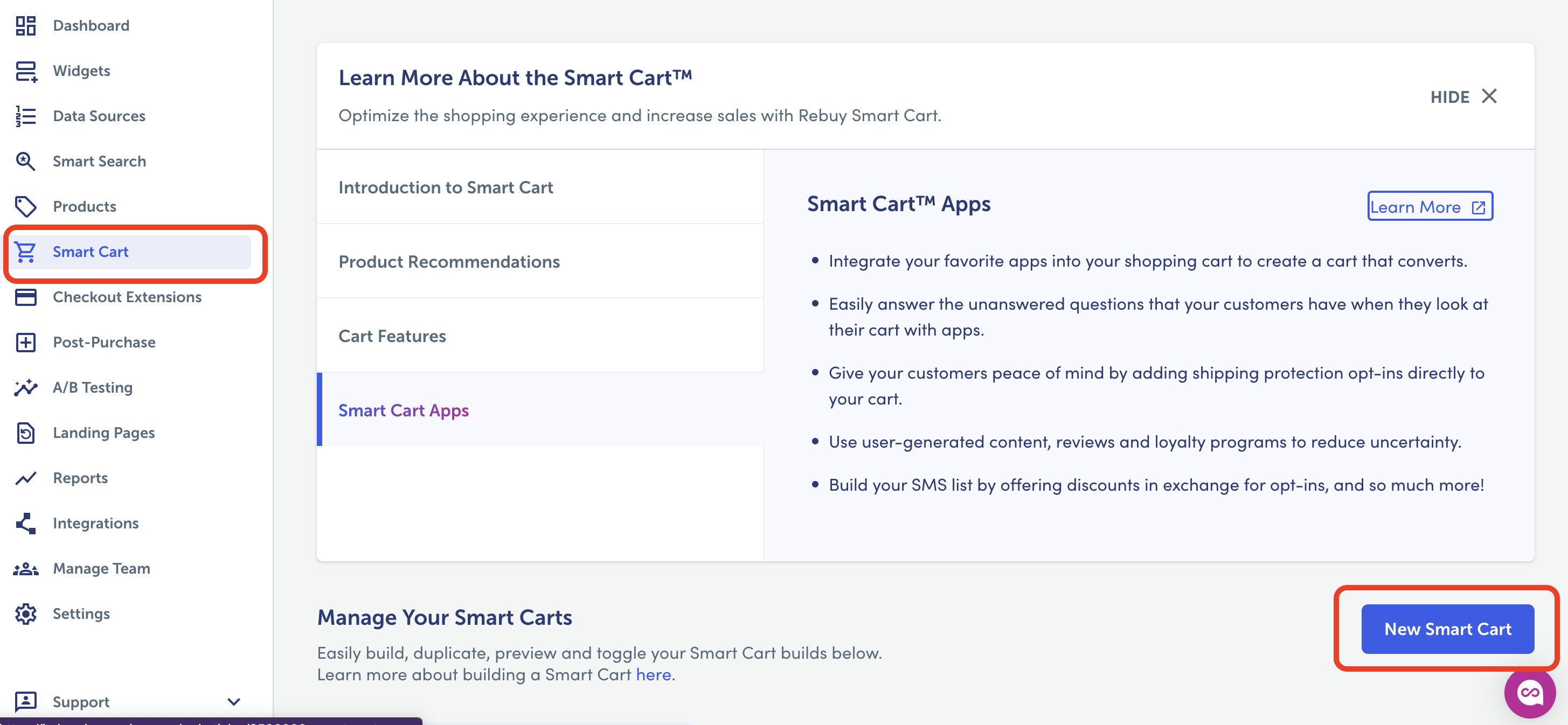
Go to the “Smart cart” tab > click “new cart app” --> this will enable the side cart functionality.
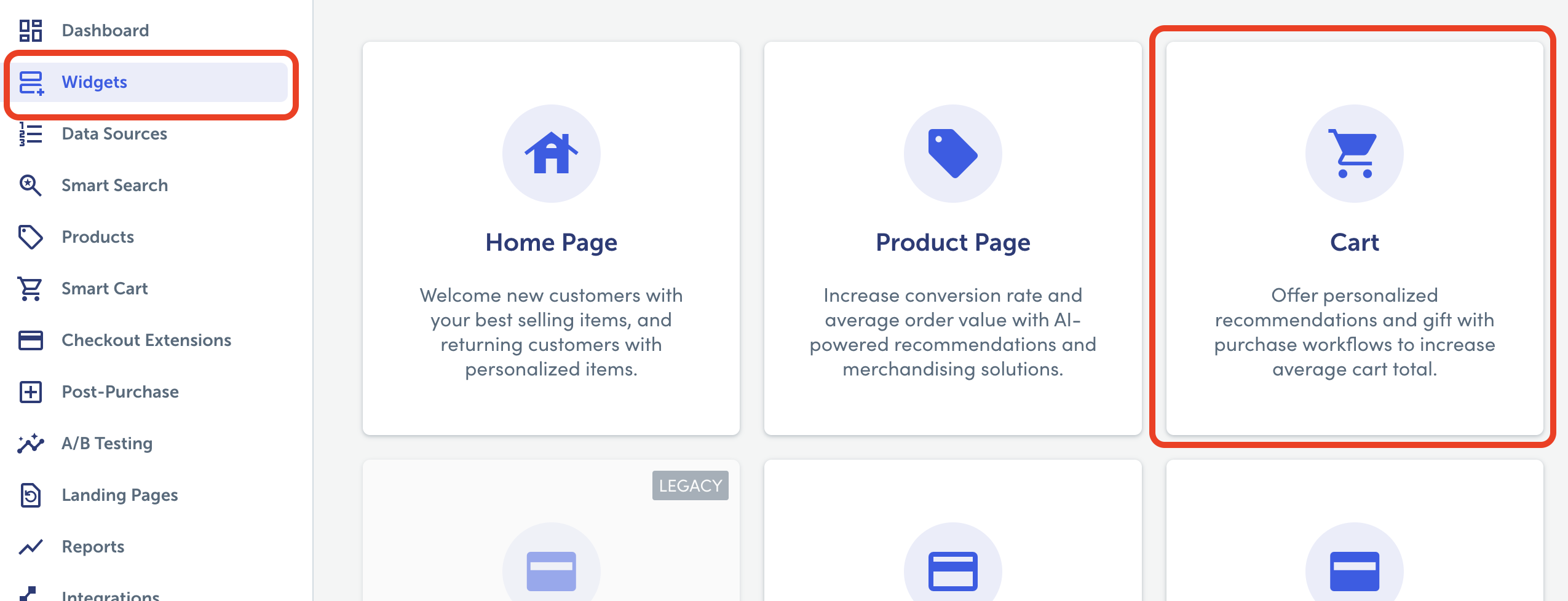
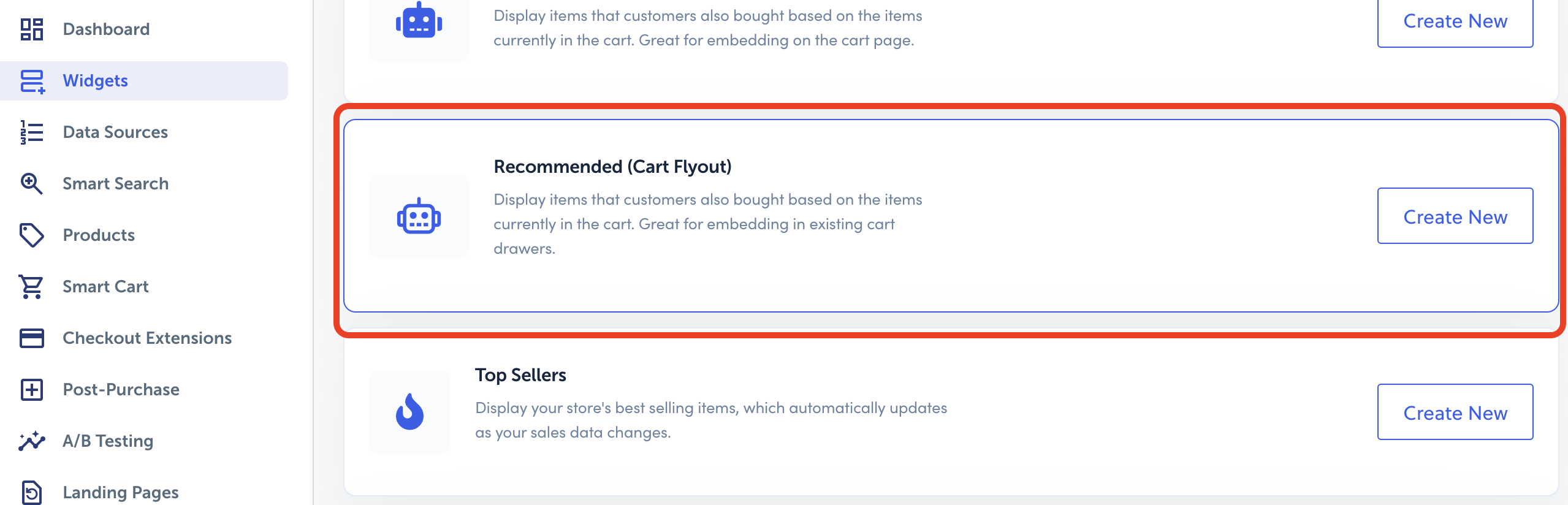
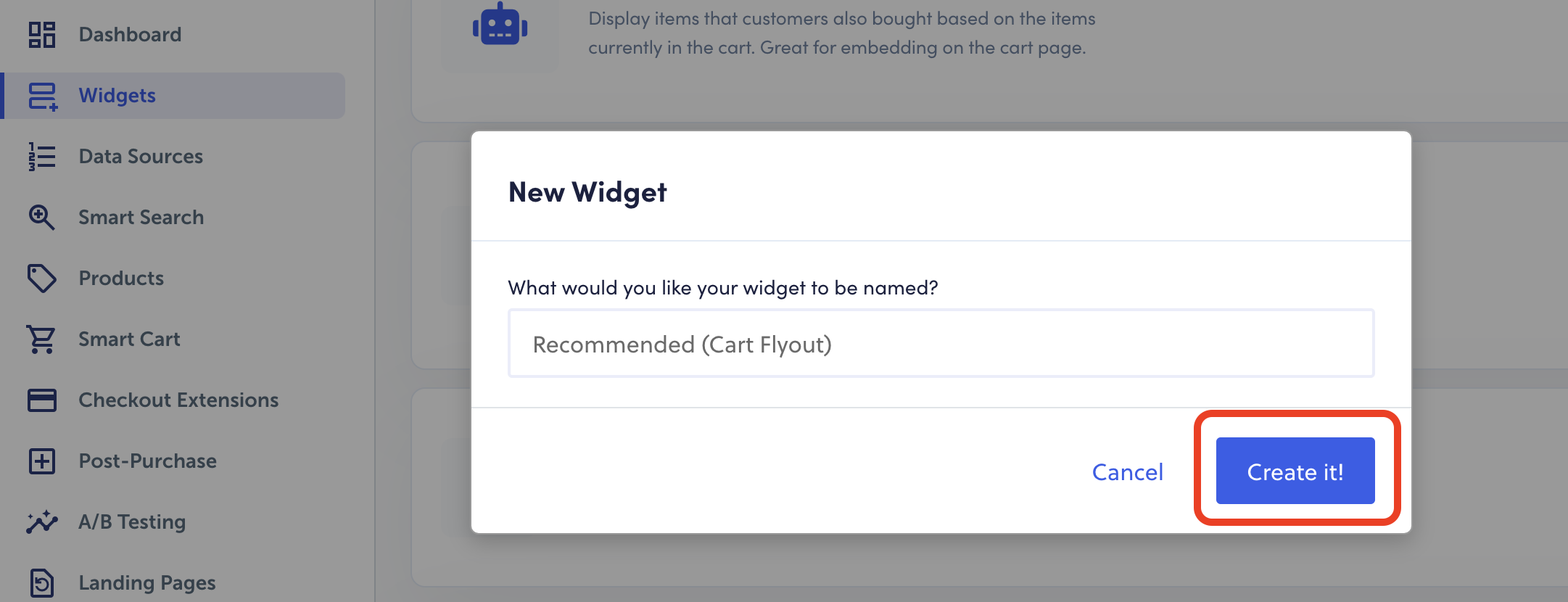
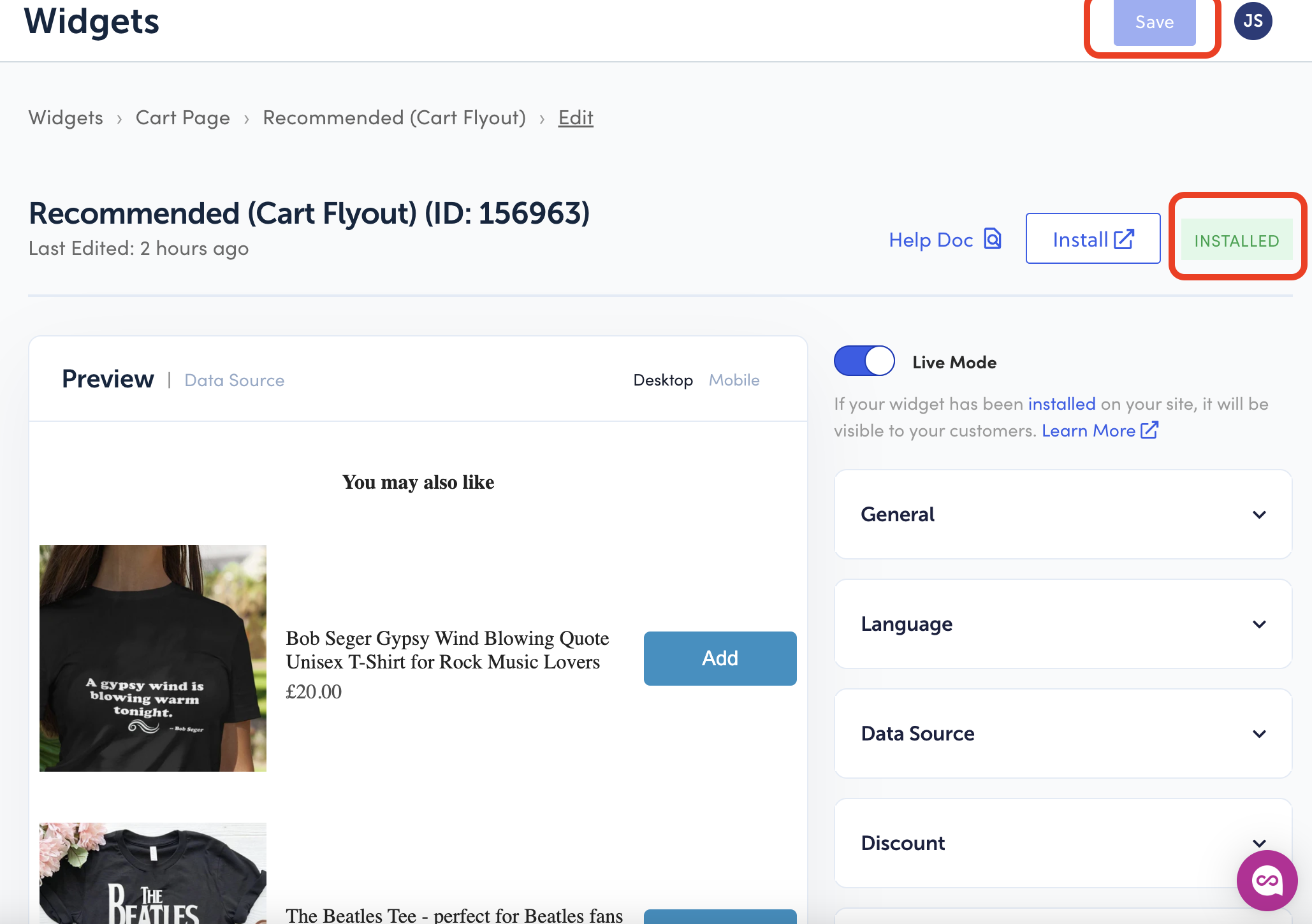
Go to the “Widget” tab > click “cart” > “new widget” > “recommended (cart flyout) > Name it > Create it > Save Changes
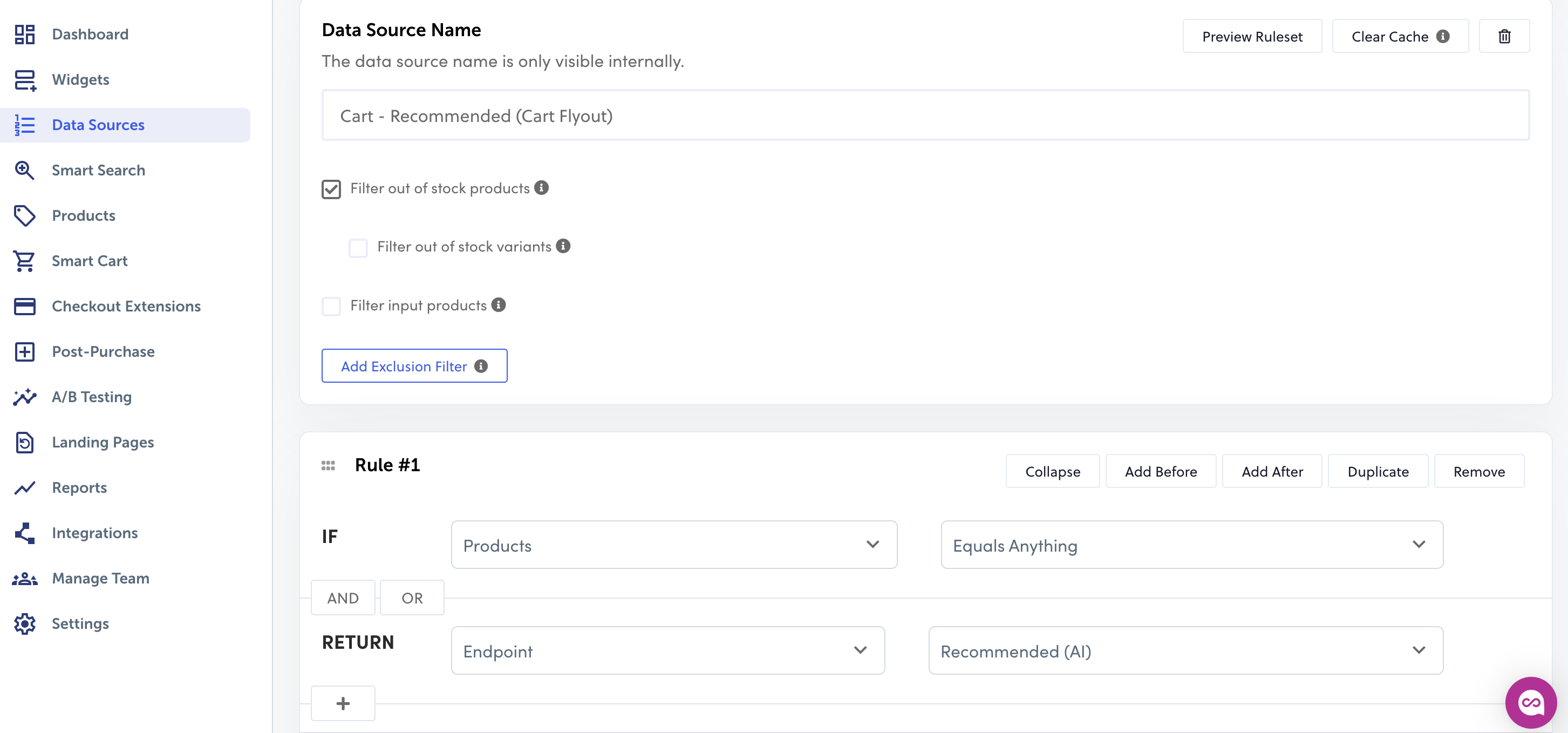
From the same widget page, click “Data Source” > tick “filter out of stock products” > create Rule “If Products Equals Anything AND/OR Return Endpoint Recommended (AI)” > Save
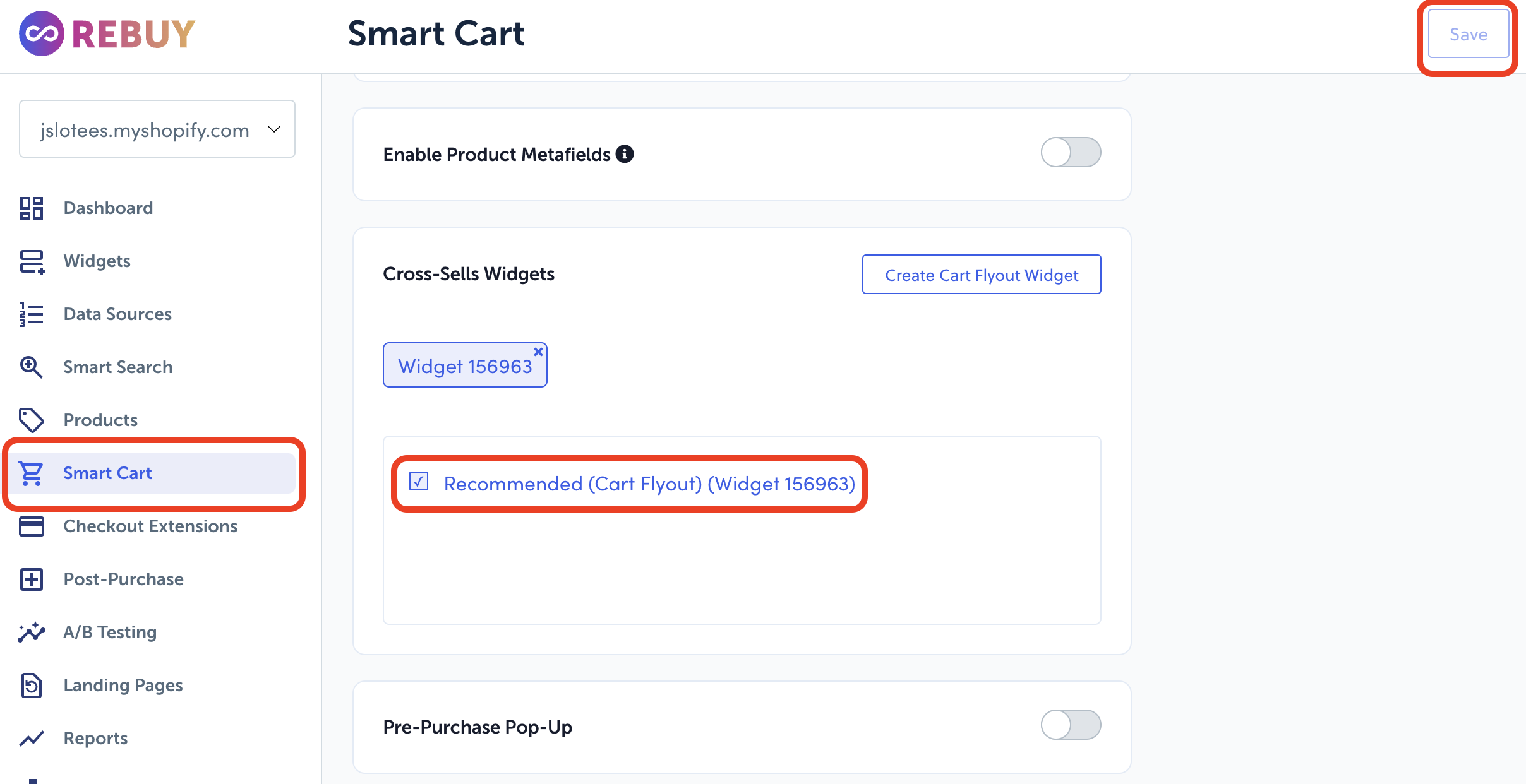
Go back to the Smart Cart you created > scroll to “Cross-sells Widget” > tick the box of the widget you created > Save
If you are having issues with products appearing, note that:
When you first configure this, items may take some time to populate. However, if it's taking too long to sync the products, please contact Rebuy's support team. They can help push this process through!
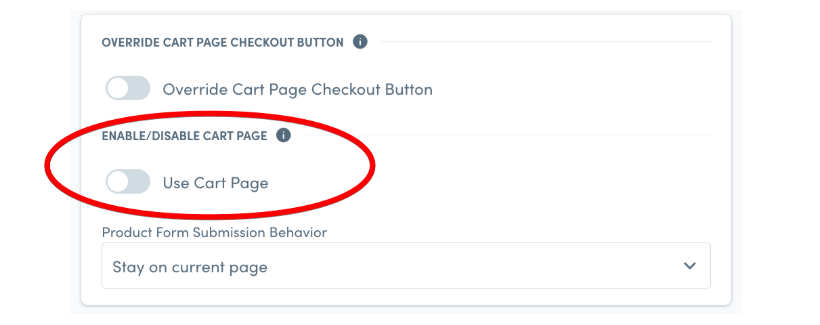
Note: We do not support the Disabled Cart Page in Rebuy. Please turn this toggle off if you use it in your Rebuy settings. A screenshot of the setting is below: