
How to use Avalara with Purple Dot
Shopify stores
How you need to use Purple Dot with Avalara depends on whether Purple Dot is integrated into your Shopify store as separate checkout or as a payment provider inside Shopify's checkout. See more here to learn about these two options.
As payment provider inside Shopify checkout
No extra setup is required. The same taxes and/or duties that already work for your regular sales will work for pre-orders also.
As separate checkout
The Purple Dot checkout can use the same tax rules as your regular checkout. All you have to do is
connect Purple Dot to your Avalara account
configure some/all tax zones in Purple Dot to use Avalara
Connecting to Avalara
Log in to the Purple Dot Merchant Portal.
Go to Settings → Integrations.
Under Tax, click Connect for Avalara.
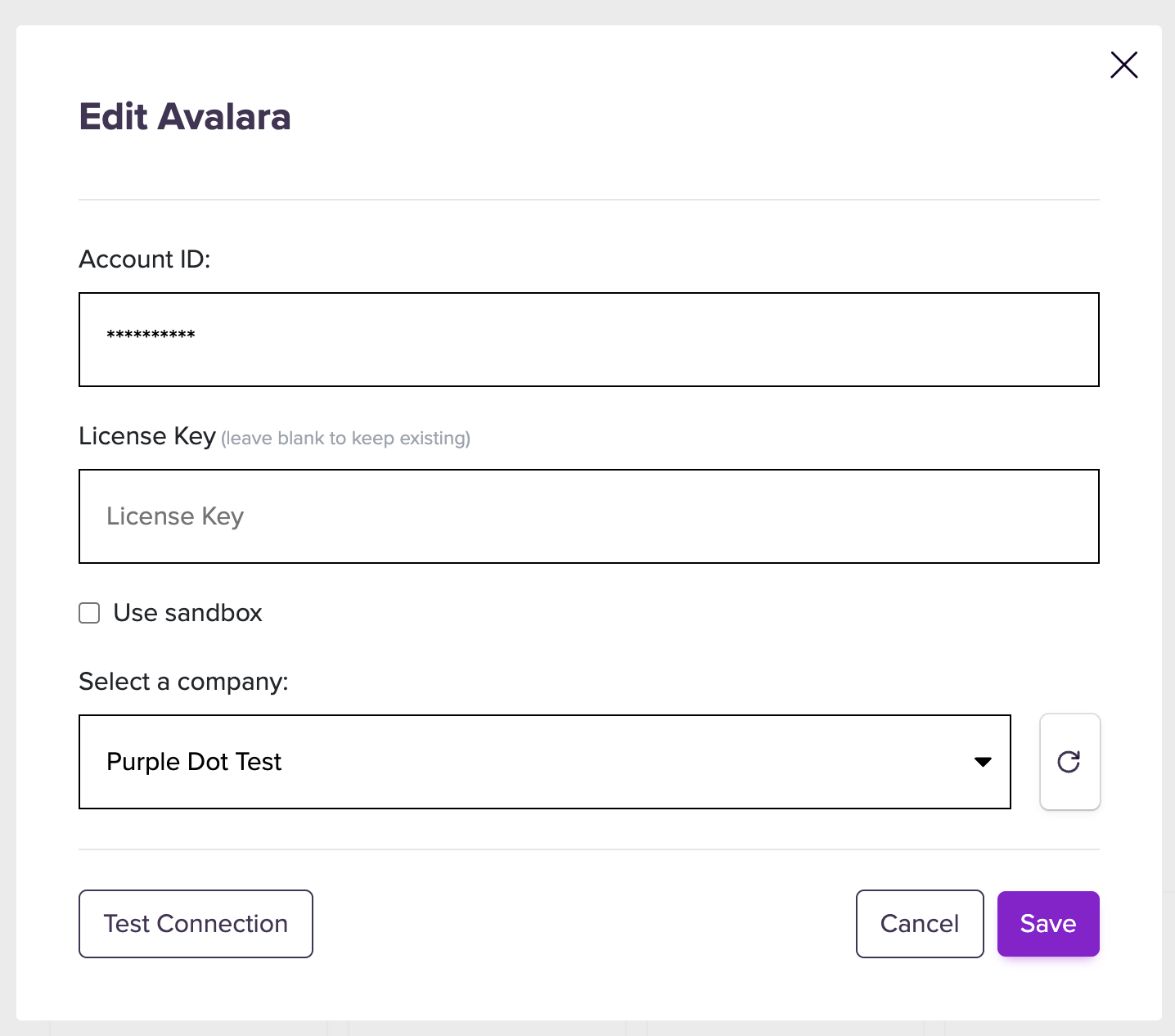
You need to provide the Account ID and License Key, which will be used by Purple Dot for connecting to your Avalara account. This guide explains where to find these.
Paste them into the Avalara connection form in Purple Dot and select the specific Company profile you would like Purple Dot to use.
Configuring tax zones
The final step is to list all the markets where you want Purple Dot checkout to charge taxes.
Log in to the Purple Dot Merchant Portal.
Go to Settings → Taxes.
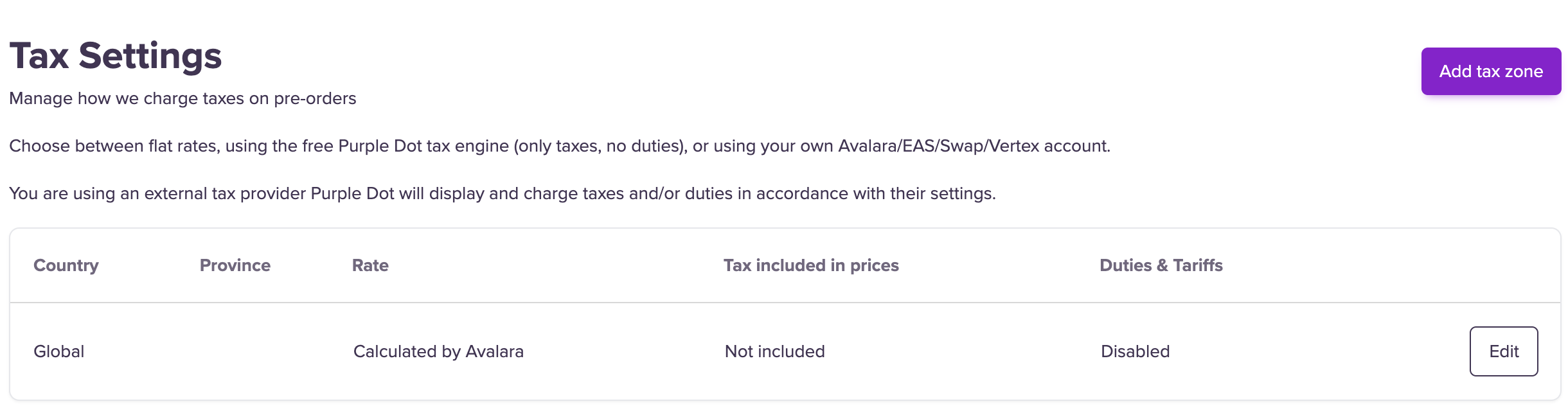
You can edit the Global zone to have Purple Dot use Avalara to calculate tax in all regions:
Or you add an explicit list of tax zones if you instead wanted Purple Dot to use Avalara in only some countries or if you wanted to use Avalara for some tax zones and another provider in other tax zones.
For example here is the correct setup if you want Purple Dot to use Avalara with all your checkouts and none of them require duties or dealing with the fact that some market may use tax inclusive pricing:
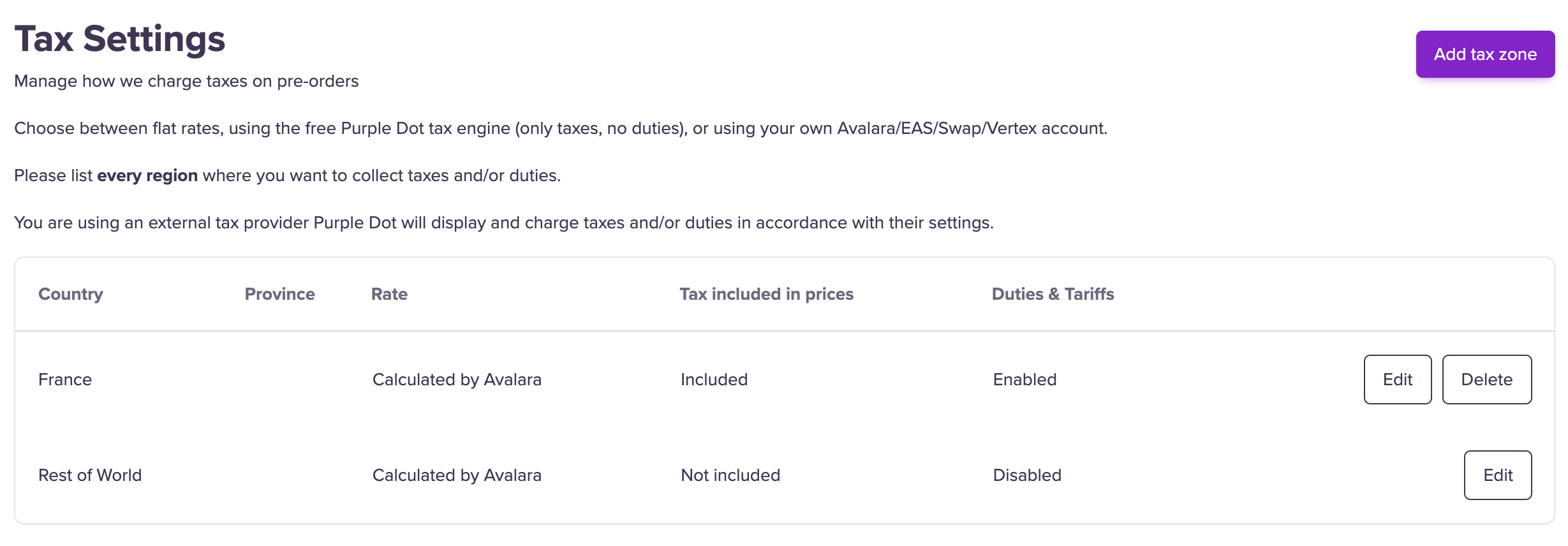
If you started to ship to France (where tax inclusive pricing is required) and you also wanted us to use Avalara to work out the right amount of duties to charge, you need list France's settings explicitly like so:
How is Purple Dot checkout using Avalara?
When the Purple Dot checkout is configured to use Avalara, Purple Dot (PD) checkout calculates sales tax by creating an uncommitted transaction and storing the result with the PD order.
If tax codes are defined in Shopify, we pass those through to Avalara.
When a product does not have a tax code defined in Shopify, the PD transaction request will use the default code of
P0000000If your tax codes are all defined in Avalara and you’d like these to take priority, head to your AvaTax account. Under
Advanced Company Settingsthere is a setting that determines which platform takes priority if a tax code is assigned both in AvaTax and in the PD transaction request. You should set this to prefer AvaTax.
Remitting tax for pre-orders with Avalara
New transactions are created and committed in Avalara by the Avalara Tax Compliance (or AvaTax if you’re still on the old app) apps that are installed in your Shopify store.
When transactions are committed is per the settings inside your Avalara account.