
How to use Zapiet with Purple Dot
Shopify stores
How Purple Dot works with Zapiet's in-store/local pickup app depends on whether Purple Dot is integrated into your Shopify store as separate checkout or as a payment provider inside Shopify's checkout. See more here to learn about these two options.
As payment provider inside Shopify checkout
No extra setup is required. The pre-orders you sell appear in your Shopify store as soon as the shopper completes their purchase and you can manage their local fulfilment through Zapiet the same way you manage any other orders.
As separate checkout
How will it work
Purple Dot checkout is compatible with Zapiet's cart widget.
After you install Zapiet's cart widget, shoppers will be able to opt into local pickup as normal, using the side cart:
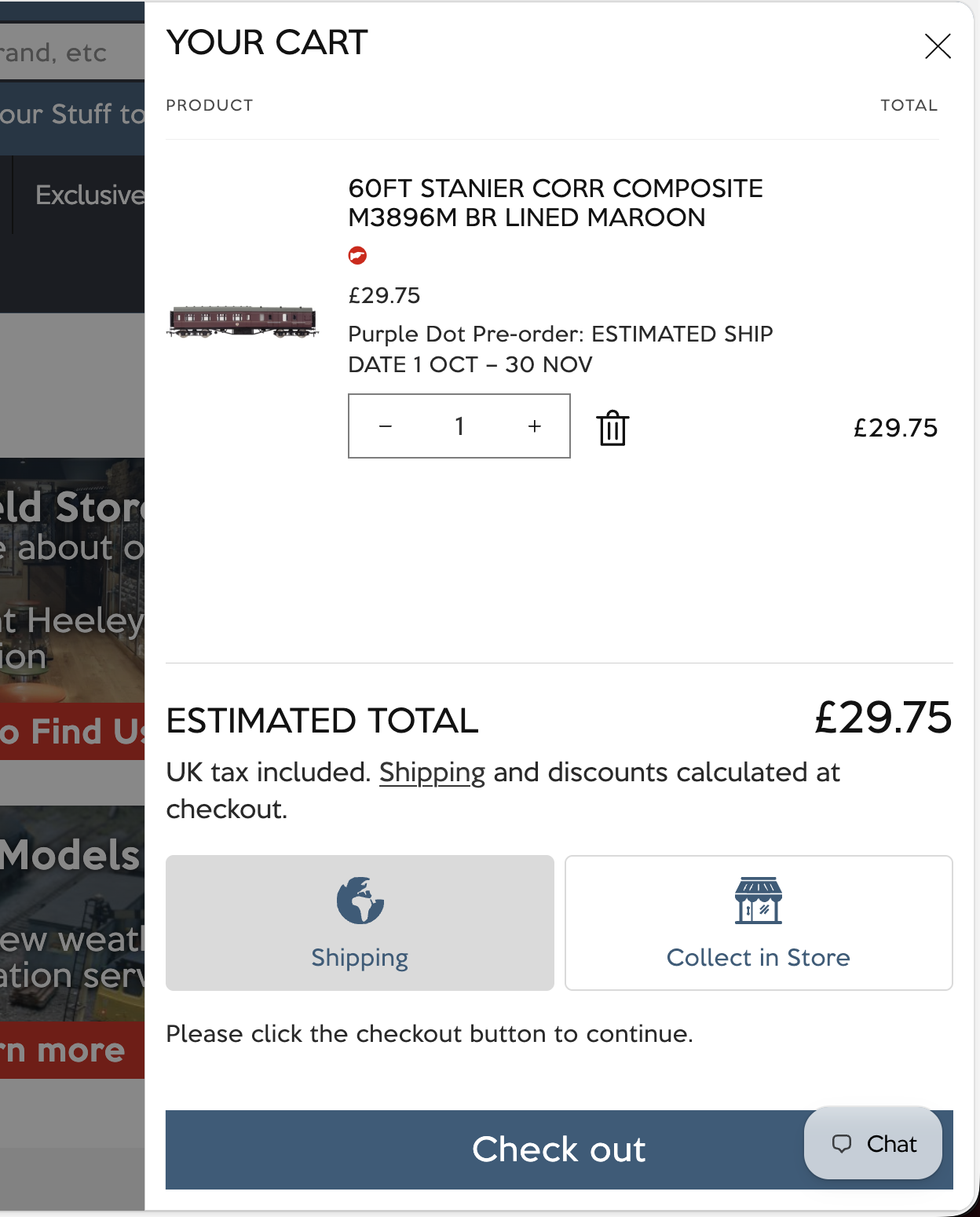
Because the cart contains an item on pre-order with Purple Dot, continuing the checkout will bring up Purple Dot's checkout. It will still collect their personal address - for payment purposes. But the checkout will make it clear to shoppers - at the shipping step - that all items in the cart have been opted into local pickup rather than delivery.
The confirmation email Purple Dot sends when the checkout completes will also make it clear that the pre-order requires local pickup and that you will get in touch with the shopper once the pickup is ready (this happens via an automated email that Zapiet sends when - in Zapiet - you mark the order as ready for pickup).
How to set it up
Zapiet has the option to expose a calendar feature that allows shoppers to select the date and time of their order collection. If you do not use this feature, no further setup is required to make Purple Dot work well with Zapiet.
If you are using this feature, there are a couple of steps to take to ensure that this calendar picker is only showing to non-preorder shoppers. Because your pre-orders are likely not expected to fulfil for some time after purchase, it does not make sense to let shoppers choose the collection date/time at the point of purchase.
Showing or hiding the calendar picker is a setting for each of your Zapiet locations, so to achieve showing it to your non pre-order shoppers and hiding for pre-order shoppers we need to
For each of the locations where pickup date picker is turned on
Duplicate this location
Give the new one a new name and
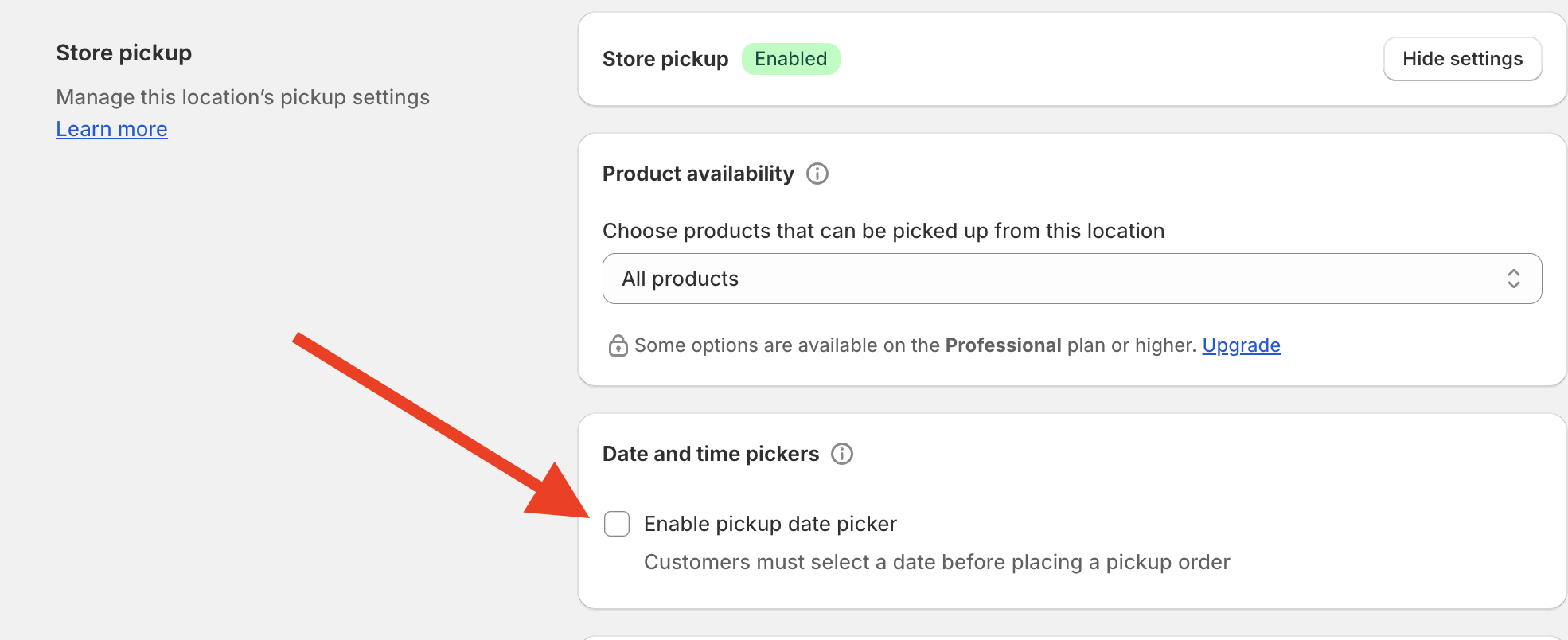
Turn off the pickup date picker
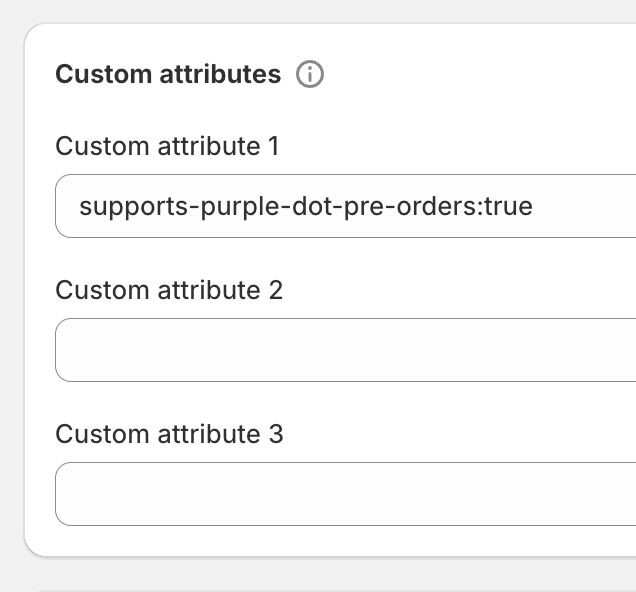
Edit it's custom attributes to contain the following
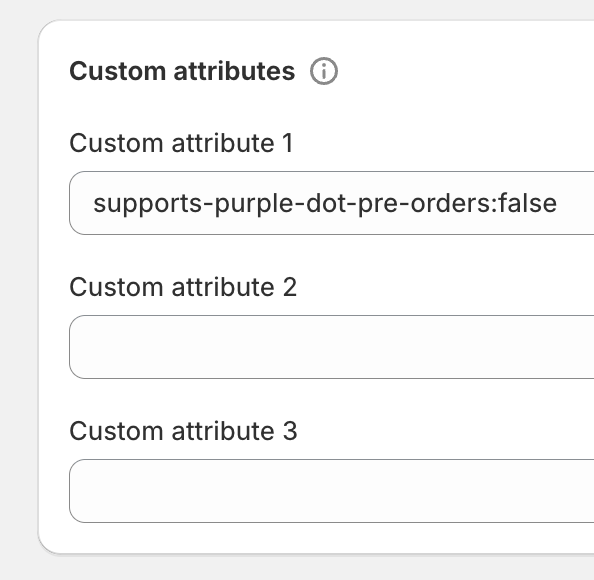
Edit the custom attributes of the original location to contain the following:
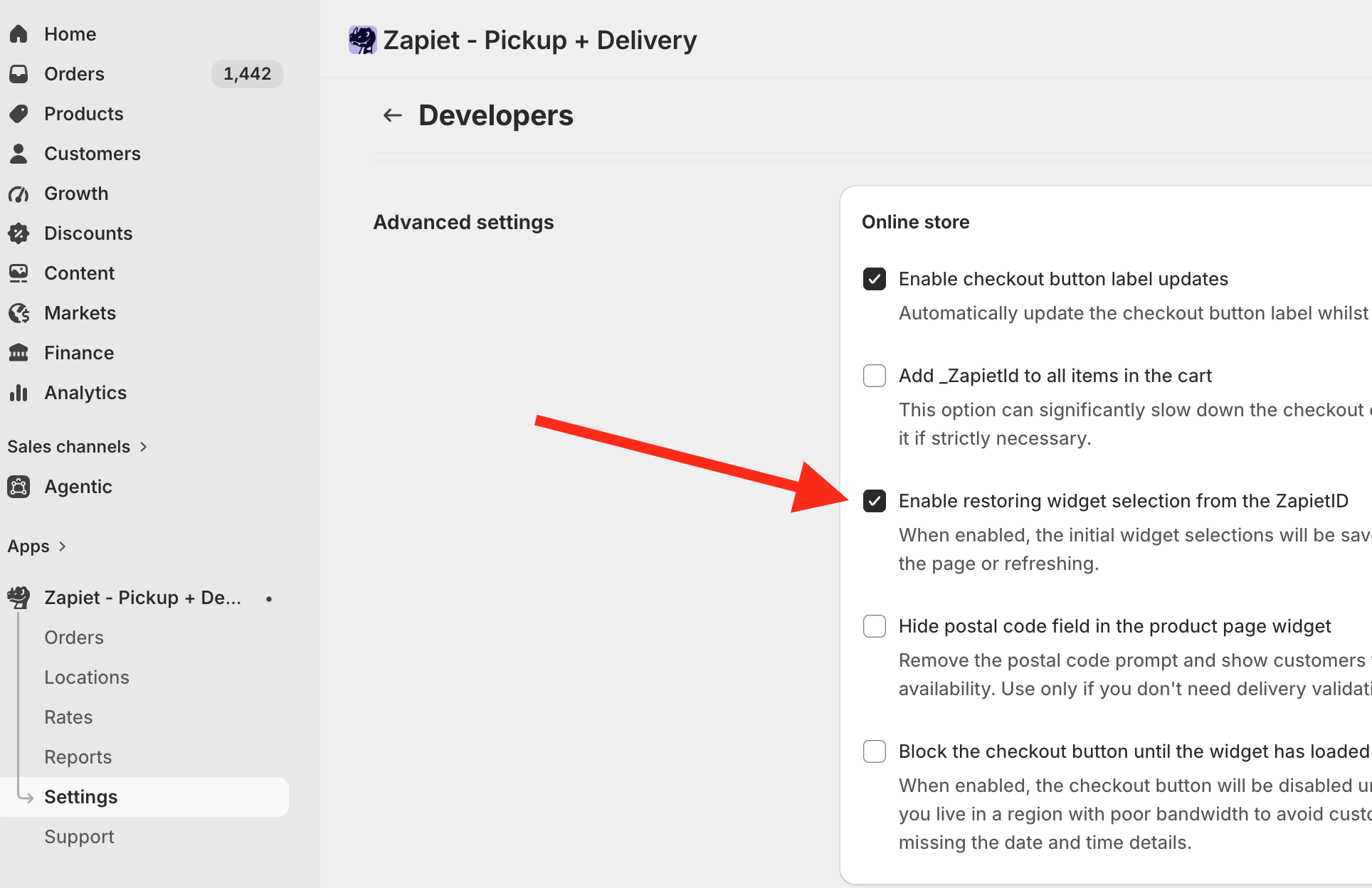
Head to Settings -> Developers and enable "Enable restoring widget selection from the ZapietID".
This is required for the code below to work reliably.
Now add a few lines of code to your Shopify theme that let the cart widget display the right set of locations - if the cart contains a pre-order, we want to show the locations that do not offer pickup date picker. The file to edit will likely be called something like
cart-drawer.liquid. We'll be happy to assist with this small tweak if you need a hand.{% comment %} Purple Dot Zapiet Location Filter Purple Dot requires local pick to be used WITHOUT a date picker {% endcomment %} {%- assign any_items_are_purple_dot_pre_orders = false -%} {%- if cart.item_count > 0 -%} {%- for item in cart.items -%} {%- if item.properties.__pdCheckoutRequired == 'yes' -%} {%- assign any_items_are_purple_dot_pre_orders = true -%} {%- endif -%} {%- endfor -%} {%- endif -%} <input type="hidden" id="pickupFilterByField" value="custom_attribute_1" /> {%- if any_items_are_purple_dot_pre_orders -%} {% comment %} Show Purple Dot pre-order locations (without date pickers) {% endcomment %} <input type="hidden" id="pickupFilterByValue" value="supports-purple-dot-pre-orders:true" /> {%- else -%} {% comment %} Show normal locations (with date pickers) {% endcomment %} <input type="hidden" id="pickupFilterByValue" value="supports-purple-dot-pre-orders:false" /> {%- endif -%}
Managing local fulfilment of pre-orders
The orders page inside your Zapiet app will see any in-stock shipments as soon as the Purple Dot checkout is completed, while the pre-order shipments will show up later - once they are released from Purple Dot to Shopify for fulfilment. Once they show you will be able to manage them just like any other Zapiet order - you will be able to use Zapiet to notify the shopper that the item is ready for pickup, Zapiet will email them the security code, etc.