
How to deal with stock delays
Don’t worry! Our job is to make this as easy as possible for you and your customers.
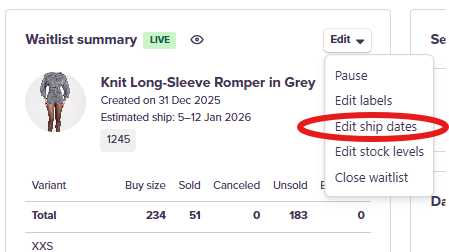
If you experience any further delays with your stock, you can change the ship dates for your waitlist by navigating to the waitlist and clicking the Edit button. From here, select Edit ship dates.
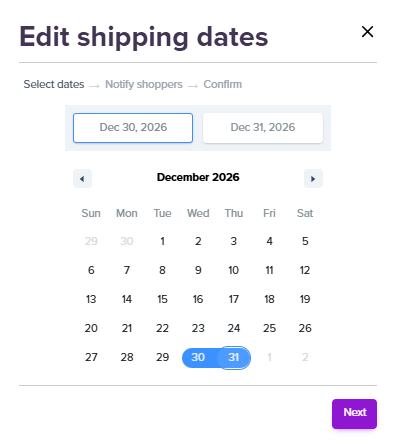
Here, you can choose the new estimated ship dates. This will change the dates that appear on the product description page and will automatically email any existing customers to inform them of the delay.
Customer emails will be tailored with your delay reason, which you can choose here:
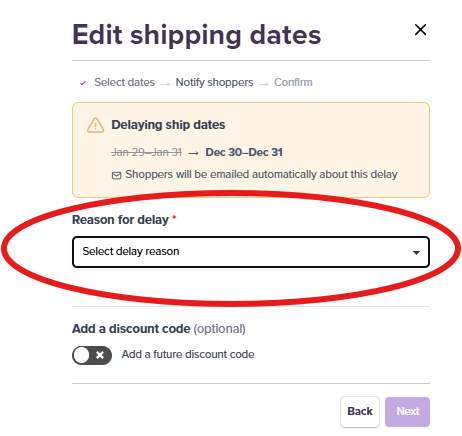
You can also add a future discount code to the email notification.