
Setting up shipping rates
If you are using separate Purple Dot checkout for shoppers that are buying pre-orders, you need to ensure that it fetches, displays and charges correct shipping rates.
Head over to the Settings tab on the left-hand side of your dashboard and click Shipping.
Set your default shipping rate provider
Purple Dot can use the same shipping rates for pre-orders as your regular checkout uses for regular sales.
You may choose from
Shopify Full, which gives the Purple Dot checkout access to all the same rates as your regular Shopify checkout
Shopify Fast, which uses only a subset of the rates available to your Shopify checkout but can cope with very high traffic launches better than Shopify Full
Or a range of 3rd party shipping rates providers that Purple Dot can be connected to. We currently support:
Bespoke Shipping
Passport Shipping
Postcode Shipping
Intuitive Shipping
Metapack
Swap Global
If you want checkouts that involve pre-orders to attract an entirely custom set of rates, select the Manual provider and then add the required rates one at a time.
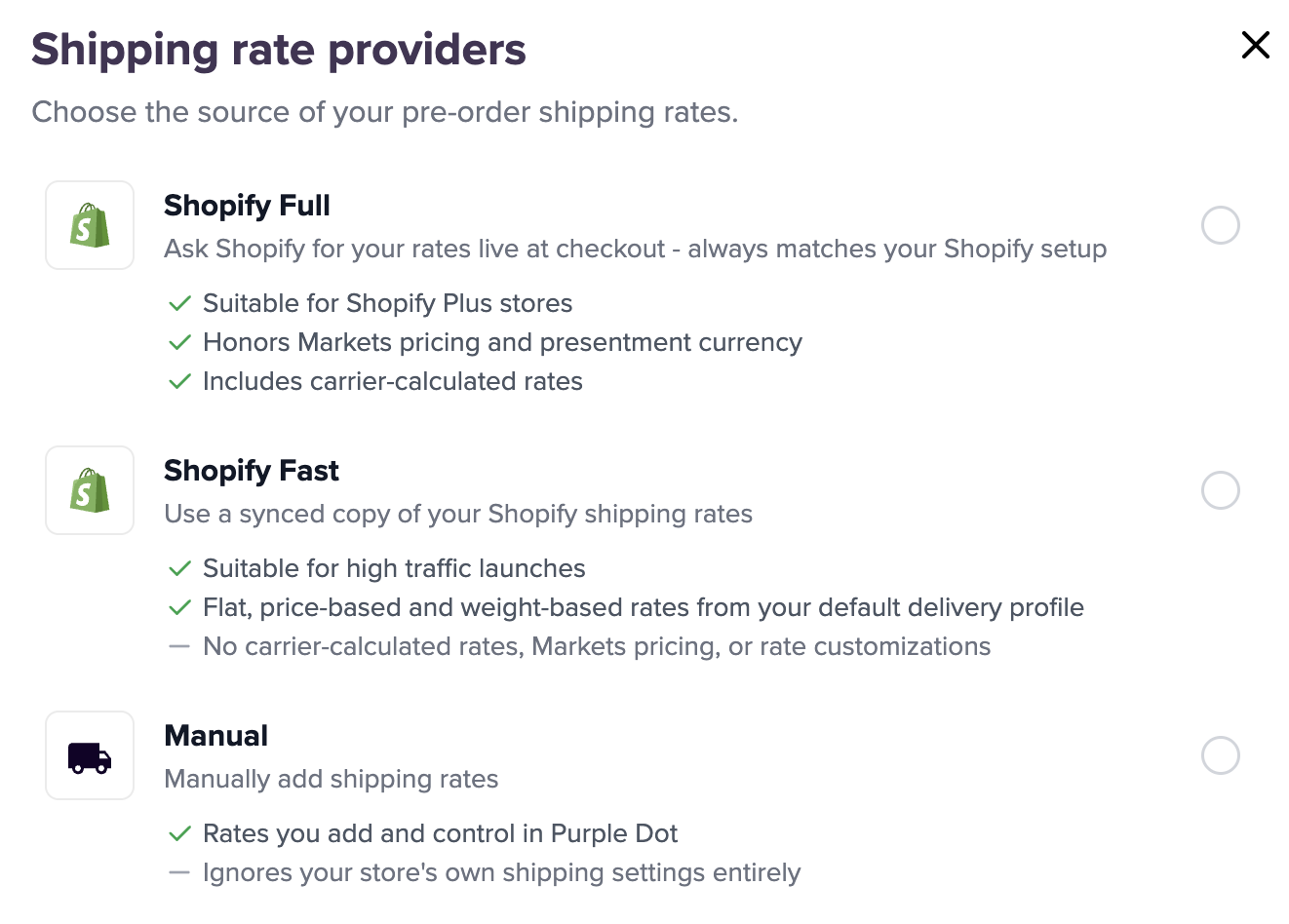
To connect to a 3rd party shipping rates provider, please contact support team or your account manager.
If you decide to use the same rates as your regular sales, you still have the option to add "pre-order overrides".
Add pre-order override rates
You can add set manual override rates that will be shown only for line items on pre-order. This is useful if you wish to charge less or make all pre-order line items ship free.
Click the Add rate button and it will bring up a window where you can name the rate, add the price, select the required countries and you can also add a price condition (for eg. Free shipping over $50)
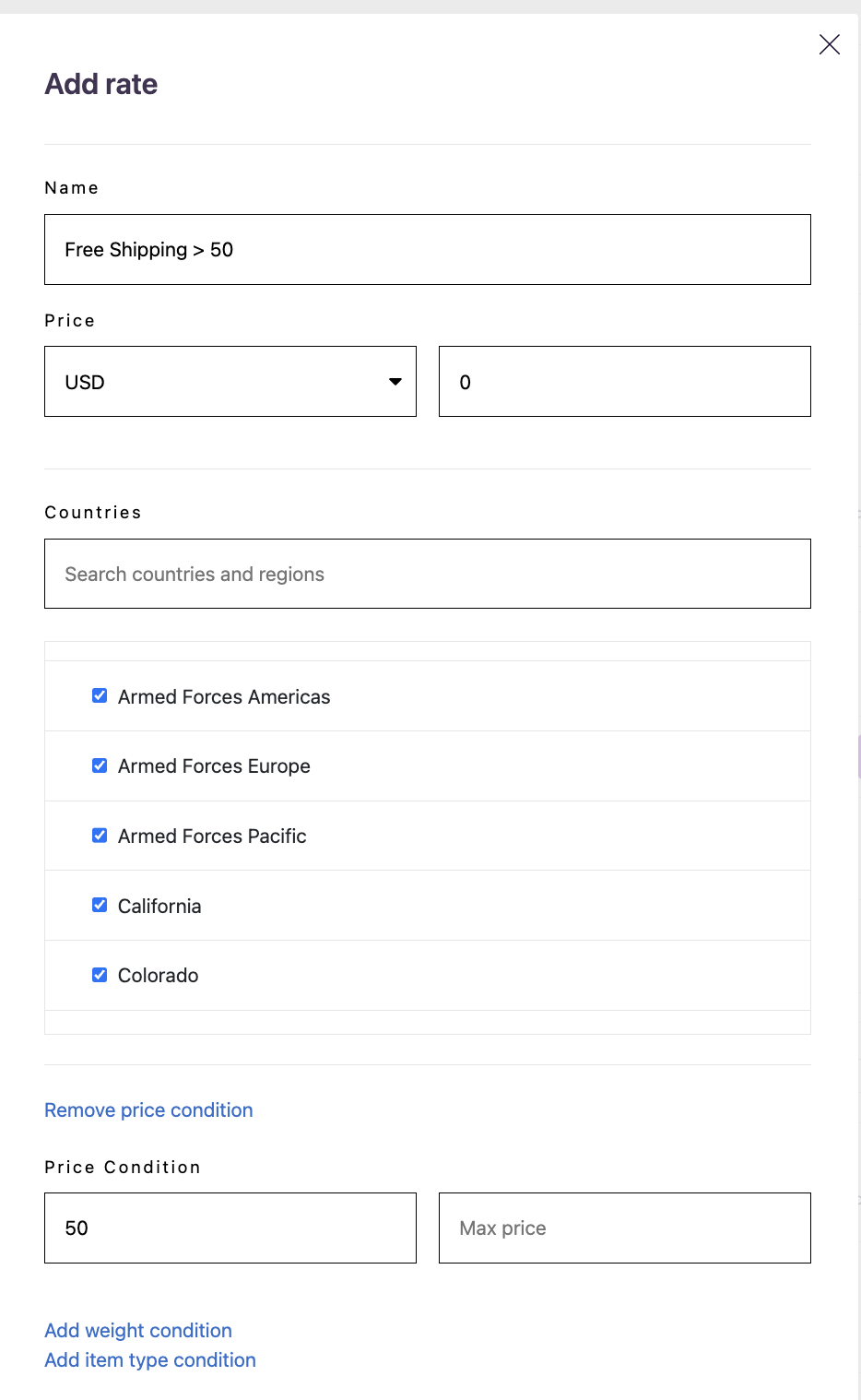
If you don't set an override rate then rates for pre-orders will be taken from the providers configured above. Shoppers will be charged the cheapest applicable rate for their pre-order.